

To print an Etsy label with a thermal printer in France, you generally need to purchase the shipping label from the carrier, download its PDF, print it in 100 × 150 mm format if it's designed for that size, then add the carrier and tracking number to the Etsy order. Etsy currently states that direct label purchases on its platform are reserved for sellers located in Australia, Canada, the United Kingdom, and the United States.
An Etsy seller based in France can therefore perfectly use a thermal printer. The only difference lies in the origin of the shipping label: it is created on the carrier's website or via a shipping tool, then manually linked to the Etsy order.
Why might the "Get a label" option be missing in France?
Etsy's official help page dedicated to purchasing labels specifies that this service is not offered to sellers established in France. It is therefore normal not to find the same button or the same process as in some tutorials made from the United States, the United Kingdom, Canada, or Australia.
This absence does not block shipping. Etsy provides a process for labels purchased outside its platform: the seller chooses their carrier, purchases the shipping label, ships the package, and adds the tracking information when completing the order.
Things to prepare before purchasing the shipping label
Prepare the entire package before generating the label. The weight and dimensions must correspond to the closed package, with its final protection and packaging. An estimate based on the product alone may lead to selecting an unsuitable size range.
Note and check:
- the name and shipping address listed in the Etsy order;
- your shipping or return address;
- the weight of the packaged parcel;
- its length, width, and height;
- the preparation time announced in your product listing;
- the delivery service chosen by the buyer, if applicable.
Carefully copy the address on the carrier's website. If any information seems incomplete or inconsistent, contact the buyer via Etsy messages before purchasing the shipping label. Do not arbitrarily modify the destination.
How to print an Etsy label in France: the complete method
1. Open the order in the Shop Manager
On Etsy.com, go to Shop Manager, then Orders. Open the relevant sale and keep its information visible during preparation. To avoid mix-ups, process one order at a time if you are just starting out.
2. Purchase shipping from the carrier
Create the shipment on the website of the carrier you are using, for example, Colissimo, Chronopost, or Mondial Relay, depending on your delivery conditions and the destination. Enter the contact details, weight, and dimensions of the package, then check the summary before payment.
The carrier then provides you with a shipping label, usually in PDF format. Download this file locally: you will have more settings than by directly printing from a browser thumbnail.
3. Identify the PDF format
Open the document and look at its dimensions and layout. Three situations are common:
- a single label in 100 × 150 mm: it can be printed directly in actual size;
- a label placed on an A4 page: you need to isolate the shipping label without reducing the entire page;
- another required format: respect the presentation requested by the carrier.
The 100 × 150 mm format, also called 4 × 6 inches, is common for parcels, but it is not universal. Consult our thermal label format guide if you need to distinguish several dimensions.
4. Correctly convert an A4 page
Never simply select "Fit" to make an entire A4 page fit on a 100 × 150 mm label. The shipping label, address, and barcode would be miniaturized. You need to crop the useful area, maintain its proportions, and place it on a 100 × 150 mm page.
The detailed procedure for Windows, Mac, iPhone, and Android is explained in the guide print an A4 PDF as a 100 × 150 mm label.
5. Adjust the thermal printer
Load the 100 × 150 mm thermal labels in the correct direction, then check the print settings:
- selected printer: your thermal model;
- paper size: 100 × 150 mm or 4 × 6 inches;
- scale: 100% or actual size if the PDF is already correctly sized;
- orientation: the one that displays the entire shipping label in the preview;
- number of copies: only one for the test;
- density: sufficient for clear bars, without thickening them.
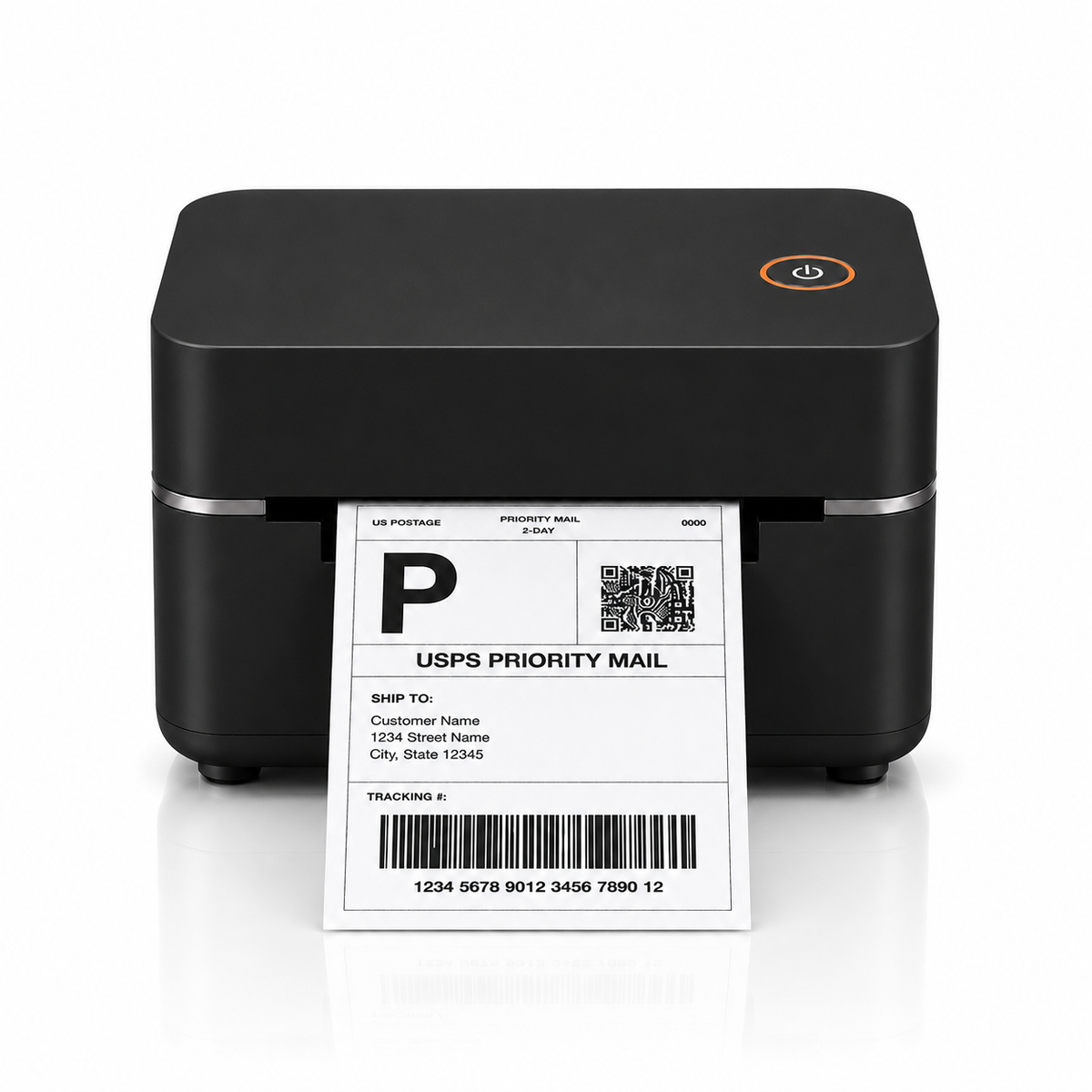
The Metashopper 4 × 6 Bluetooth thermal printer is suitable for 100 × 150 mm shipping labels. For printing from a phone or a new computer, first check the connection and the applications used with the Bluetooth iPhone, Android, Mac and Windows guide.
6. Check the label before sticking
Compare the recipient's name with the Etsy order. Check that the tracking number matches the shipping label you just purchased, that the address is legible, and that the barcode is neither cut nor crossed by a white line.
A misaligned, too pale, or incomplete label must be corrected before shipping. Do not start several identical reprints without identifying the cause: paper format, scale, calibration, media direction, or density.
7. Stick the label on the package
Place it on the largest flat surface, without folding it over an edge or placing it on a flap. Completely remove or obscure any old addresses and barcodes from a reused carton. Our guide shows precisely where to stick the thermal label for easy scanning.
8. Add tracking and complete the Etsy order
Once the shipping label is ready, go back to Shop Manager > Orders. Select the option to complete the order, choose the shipping date, indicate the carrier, and enter the tracking number provided with the shipping label. Preview the notification sent to the buyer, then validate.
Etsy indicates that when a label is purchased outside its platform, tracking can be added manually. The shipping date must correspond to when you actually plan to hand over the package to the carrier: a premature date creates an incorrect expectation for the buyer.
How to avoid mixing up multiple Etsy orders
Adopt an identical preparation chain for each sale:
- open the Etsy order;
- pick and check the item;
- pack, close, weigh, and measure;
- purchase and print the shipping label;
- compare the recipient and tracking;
- stick the label;
- complete the order in Etsy.
If you are processing a series, print the shipping labels in the same order as the packages arranged on your table. Keep each product, its packaging, and its label in a dedicated area until sticking. A well-organized workstation reduces the risk of associating the correct shipping label with the wrong package.
Common errors when printing an Etsy label
- Looking for an Etsy purchase button unavailable in France: go directly through the carrier.
- Reducing an entire A4 page: extract only the shipping label.
- Printing with "Fill page": this option can cut off the edges of the document.
- Forgetting tracking in Etsy: add the carrier and number when finalizing.
- Declaring the shipment too early: choose a date corresponding to the actual handover to the carrier.
- Sticking on a curved or crumpled area: choose a flat and clean surface.
Frequently asked questions
Can you print an Etsy label with a thermal printer in France?
Yes. Purchase the shipping label from the carrier, download its PDF, and print it thermally in the required format. Then add the tracking manually to the Etsy order.
Why doesn't Etsy offer me to buy a label?
Etsy currently states that direct label purchases are offered to sellers in Australia, Canada, the United Kingdom, and the United States, but not to sellers located in France.
What format should I choose for an Etsy shipping label?
The format depends on the shipping label provided by the carrier. Select 100 × 150 mm only if the PDF is designed for the 4 × 6 inch format or if it has been correctly cropped.
How do I add the tracking number on Etsy?
In the Shop Manager, open Orders, complete the order, choose the carrier, and enter the tracking number obtained when purchasing the shipping label.
Can I print from the Sell on Etsy app?
In France, the label is usually created outside of Etsy. You can download the carrier's PDF to your phone and send it to a compatible thermal printer via its app.
What if the label prints too small?
Check if the file is an A4 page. In this case, crop the shipping label instead of reducing the entire page. Then check the 100 × 150 mm paper and scale to 100%.
Official sources
Print your Etsy shipping labels in 100 × 150 mm format
Equip your shipping station with a thermal printer and suitable adhesive labels.


Leave a comment
This site is protected by hCaptcha and the hCaptcha Privacy Policy and Terms of Service apply.